My SSH Portfolio: A Terminal-Based Personal Website
By Saai Syvendra ·
A few months ago I came across terminal.shop a site where you can literally order coffee via SSH. My first reaction?

That got me thinking. Curiosity always asks how. SSH has always been this thing I use to connect to servers, run commands, deploy stuff. But serving an actual interactive experience through it? That was new to me. But was it acutally? These days, almost all the coding agents (like Claude and Gemini) are accessible through the terminal. So why not a portfolio? Engineering always asks, why not.
Wait, What's SSH?
If you've ever browsed a website, you've used HTTP (or HTTPS). Your browser sends a request to a server, the server sends back HTML, CSS, and JavaScript, and your browser renders it into a pretty page. It's like ordering from a menu... You ask, they deliver.
SSH (Secure Shell) is different. Instead of fetching a webpage, you're opening a direct, encrypted connection to a remote computer. You're not just viewing content, you're inside the machine, running commands as if you were sitting right in front of it.
Think of HTTP as watching a YouTube video. SSH is like being handed the camera.
The cool part? SSH isn't limited to boring command-line stuff. You can build interactive applications that run over SSH, which is exactly what I did.
The Terminal Renaissance
There's something happening in tech right now. We're seeing a quiet return to the terminal. It makes sense when you think about it. Terminals are fast, distraction-free, and keyboard-driven. No bloated UIs, no loading spinners, just you and the interface.
So I thought, what if my portfolio was a terminal app? Not a website that looks like a terminal, but an actual TUI you SSH into.
Building It
I used Go and the Charmbracelet ecosystem:
- Bubble Tea: A TUI framework based on the Elm architecture (Model-Update-View)
- Wish: An SSH server library that integrates with Bubble Tea
- Lipgloss: For styling
The setup was surprisingly straightforward. Wish handles all the SSH handshaking, and you just plug in your Bubble Tea app as middleware.
The Gotcha
One thing that tripped me up, middleware in Wish runs in reverse order. The last middleware you add executes first. I was trying to track visitor sessions and couldn't figure out why my stats weren't updating. Turns out my tracking middleware was running after the TUI, not before. Small detail, big headache.
Making It Responsive
Another challenge was making the TUI responsive to different terminal sizes. Unlike web CSS where you have media queries, here you're working with raw terminal dimensions. Had to handle window resize events and adjust layouts dynamically.
Deployment
I'm hosting this on an Oracle Cloud instance. First step was configuring the firewall rules to allow traffic on port 2222 in addition to the default SSH port.
Here's the trick... I wanted my portfolio to be accessible on the default SSH port (22), so users can just run ssh ssh.syvendra.com without specifying a port. But the system's SSH daemon (sshd) was already using port 22.
The solution? Move sshd to port 2222 for server administration, and let my portfolio app take over port 22.
# /etc/ssh/sshd_config
Port 2222
Now, binding to port 22 requires elevated privileges. The easy route would be running the app with sudo, but that's a security risk. If someone exploits the app, they'd have root access to the entire server. Not ideal.
Instead, I used Linux capabilities to grant just the permission needed:
sudo setcap 'cap_net_bind_service=+ep' ./ssh-portfolio
This lets the binary bind to privileged ports without running as root. My cybersecurity lessons on the Principle of Least Privilege finally paying off in practice 🔐
The Scary World of Bot Scrapers
So I deployed the server, shared it with a few friends, and checked back a day later. 21,000+ visitors in under 2 days.
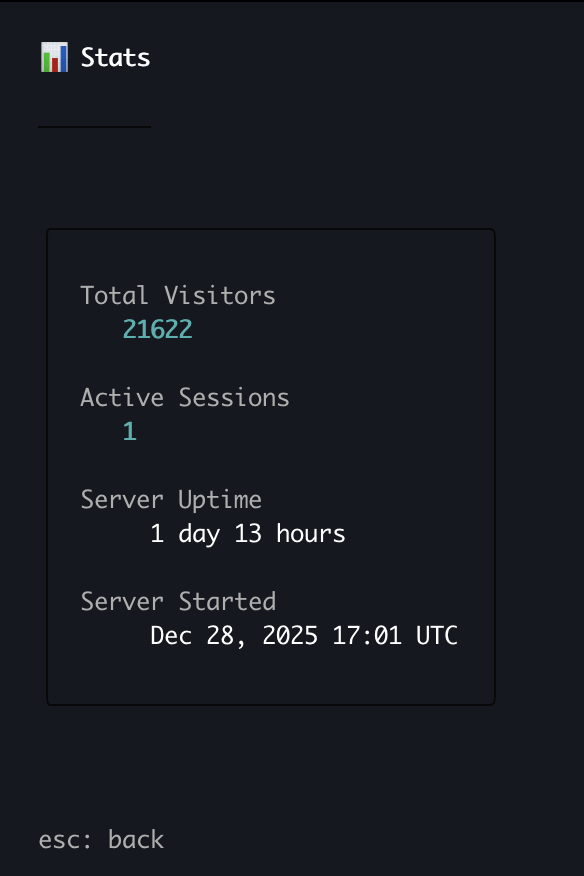
I was mass scale famous! ...or was I? 🤔
Curious, I dug into the logs:
Dec 30 01:09:48 ssh-portfolio: root connect 170.205.*.*:34324 false [uname -s -m] SSH-2.0-Go
Dec 30 01:09:48 ssh-portfolio: 170.205.*.*:34324 disconnect 204.666µs
Dec 30 04:58:06 ssh-portfolio: root connect 43.163.*.*:44380 false [uname -s -m] SSH-2.0-Go
Yeah... those aren't real visitors. These are bots scanning the internet for open SSH servers. They connect as root, run uname -s -m to fingerprint the system, and disconnect in microseconds. The SSH-2.0-Go client string is a dead giveaway automated tools probing for vulnerable servers.
Welcome to running anything on port 22, I guess. The internet is a wild place.
The fix? I added a rate-limiting middleware that tracks connection attempts per IP and blocks excessive requests. Genuine visitors browsing the portfolio won't hit the limit, but bots hammering the server get blocked.
Another lesson learned, the moment you expose something to the public internet, you're not alone anymore 👀
What You Can Do
When you SSH in, you get:
- Full portfolio navigation: Projects, achievements, experience, links
- Live stats: See how many people are currently connected and total visitors
- An easter egg: Type "play" in the menu 👀
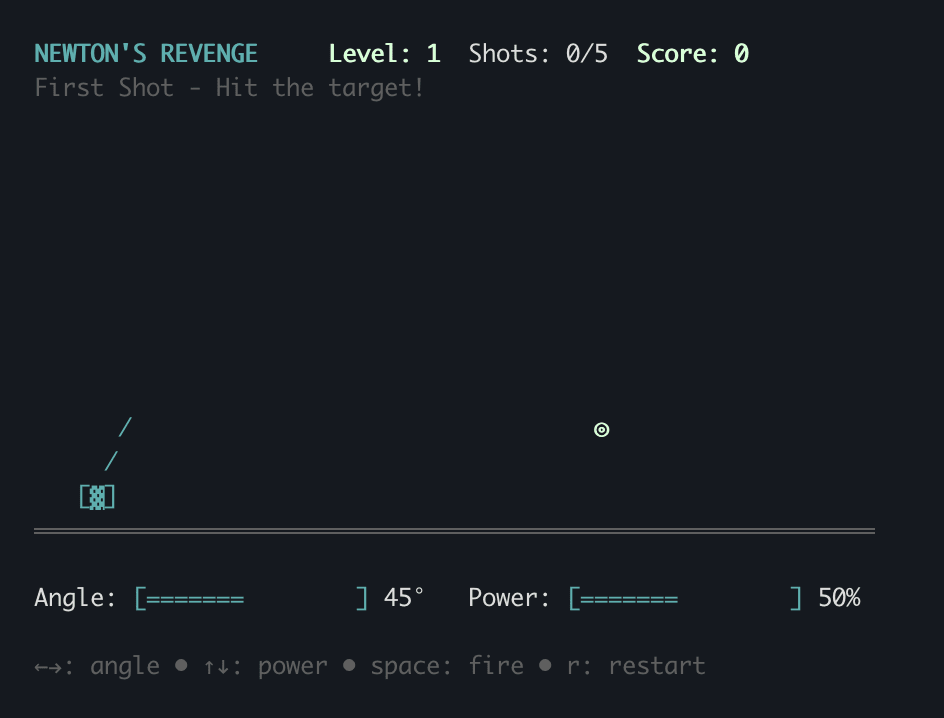
Try It Out
ssh ssh.syvendra.com
That's it. No password, no setup. Just SSH and explore.
Wrapping Up
This was a fun weekend project that turned into something I'm genuinely proud of. There's something satisfying about telling someone "just SSH into my portfolio" instead of sharing a URL.
If you're curious about building something similar, the Charmbracelet docs are excellent, and the community is super helpful. The barrier to entry is lower than you'd think.
Who knows, maybe terminals are the new frontier for personal sites. Or maybe I just wanted an excuse to build something weird. Either way, it was worth it.
Want to chat about this or have suggestions? Hit me up at [email protected] or connect on LinkedIn
#SSH
#Portfolio
#Terminal
#WebDevelopment

